
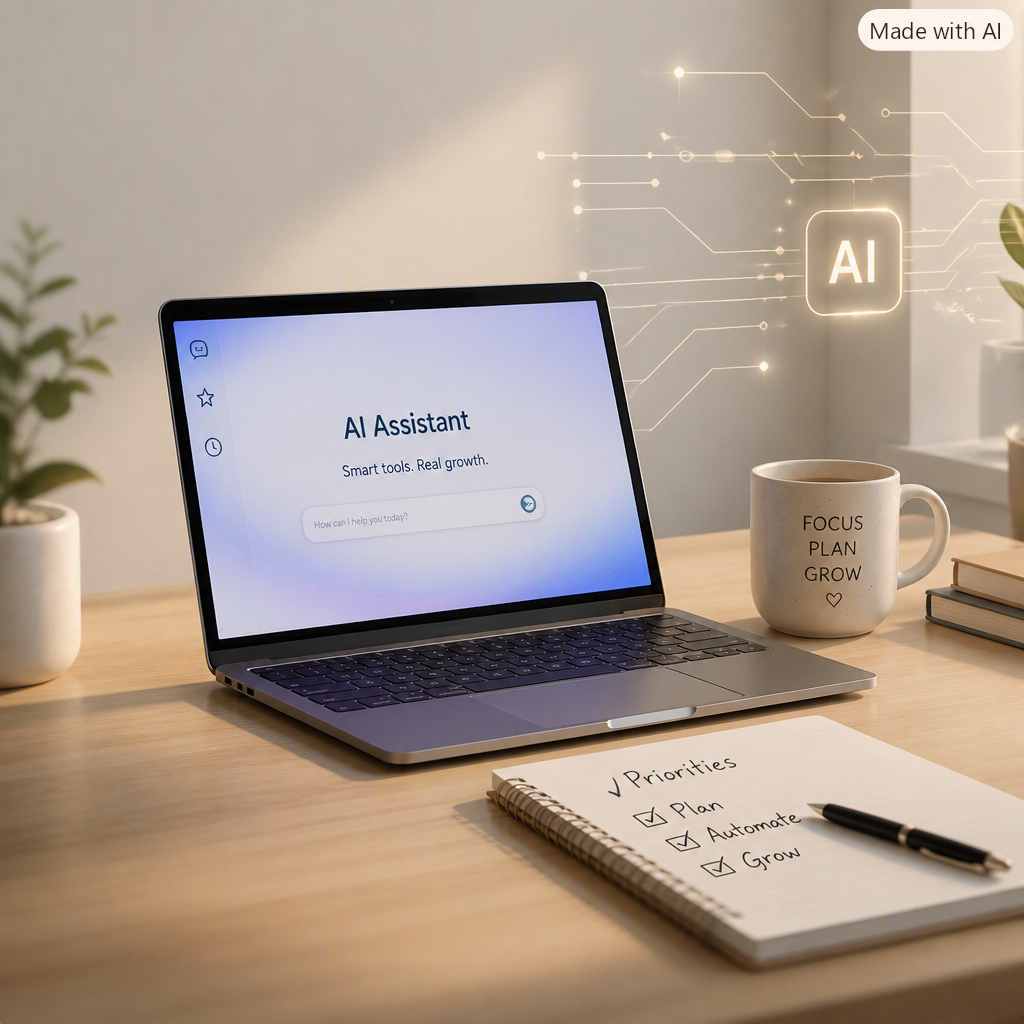
For solo entrepreneurs, virtual assistants, and other work-from-home professionals, growth stagnation rarely looks like a factory floor problem, it looks like being maxed out on hours with no team to hand anything off to. The core tension is familiar: client work, admin, and marketing all compete for the same limited hours, so the business stays exactly the size one person can physically manage. Smart AI adoption can change that math, not by replacing the relationships and judgment that make solo work valuable, but by quietly absorbing the repetitive parts of the job that used to require hiring help. With the right focus, AI-driven growth becomes realistic even for a business of one.
What AI Adoption Really Means for Solo Entrepreneurs and VAs
AI adoption for a one-person business is not about chasing every new tool that launches. It’s about using a small set of AI tools on purpose to reclaim hours, the exact hours that would otherwise go toward hiring a subcontractor or turning down new clients.
It matters because client and buyer expectations keep rising, faster replies, more polished deliverables, more availability, while a solo operator still only has one set of hands. When AI tools connect to a clear workflow, you respond faster, make fewer errors in repetitive admin, and deliver work that looks like it came from a small team, not a single overloaded person.
Think of a virtual assistant who used to spend two hours a day drafting client emails and summarizing call notes by hand. The “innovation” isn’t the AI tool itself, it’s the freed-up two hours that can now go toward a new client, a skill upgrade, or actual rest. That same principle applies across the handful of AI upgrades below that tend to compound the fastest for solo and remote-first businesses.
Build an AI Layer That Works Like the Team You Don’t Have
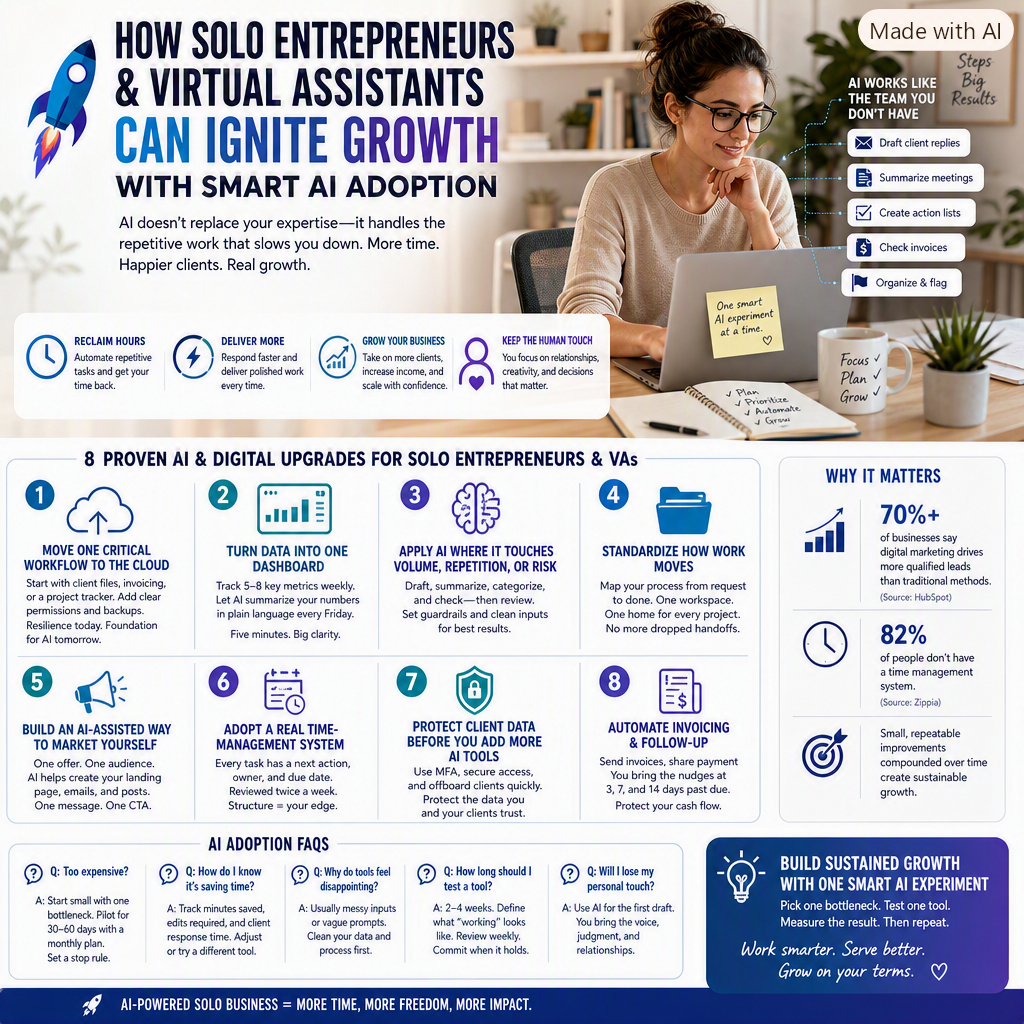
For a solo entrepreneur or VA, AI’s biggest advantage isn’t speed for its own sake, it’s coverage. A small, well-chosen set of AI tools can quietly do the work of a junior assistant: drafting first-pass replies, summarizing long client threads, turning messy meeting notes into a clean action list, or flagging an invoice that doesn’t match a quote. None of that requires becoming technical. It requires picking two or three repetitive tasks and letting AI take the first pass while you review and send.
The goal isn’t to automate judgment, client relationships, pricing decisions, and creative direction still need you. The goal is to automate the parts of the job that were never really using your judgment in the first place, formatting a recap, drafting a routine reply, or double-checking a spreadsheet for typos. It’s the same principle behind industrial manufacturing solutions that use edge computing on a factory floor, making the decision right where the work happens, just scaled down to a business of one instead of a production line. From there, the same “let AI take the first pass” mindset applies to the specific upgrades below.
 8 Proven AI and Digital Upgrades for Solo Entrepreneurs and VAs
You don’t need a full tech stack overhaul to see results. The fastest wins come from a handful of upgrades that remove friction, protect your time, and turn scattered client work into something repeatable.
- Move one critical workflow to the cloud (then expand): Start with a single high-impact area, client files, invoicing, or a project tracker, and migrate it with clear permission rules and automatic backups. This matters even more for a solo business, since there’s no IT department to recover a lost file, and it’s also the foundation most AI tools need to actually search and summarize your work. Prioritize resilience: the cost of downtime hits harder when you’re the only person keeping the business running.
- Turn scattered client data into “one dashboard” you actually check: Pick 5–8 metrics you review weekly (active clients, hours billed, proposal conversion rate, overdue invoices, response time), and pull them into one simple view instead of hunting across five apps. Ask an AI tool to summarize the week’s numbers in plain language every Friday, so the “review” takes five minutes instead of thirty.
- Apply AI where it touches volume, repetition, or risk: Look for tasks you do dozens of times a week, drafting client replies, summarizing call notes, categorizing inbox requests, or checking invoices for mismatches. Put guardrails in place: define what client information you’ll never paste into a tool, require a quick human read-through before anything goes out, and track how often you’re editing heavily versus sending as-is. These tools work best when your inputs are already organized, so clean up your naming conventions and templates before you automate.
- Standardize how work moves between clients and projects: Map how a task moves from request to draft to client review to done, then use one shared workspace so nothing lives only in your inbox. Give every project a single home for its latest file and a due date, even if you’re the only person on the project. This matters most when you’re juggling several clients at once, since a dropped handoff with one client is just as costly as a dropped handoff on a team.
- Build a simple, AI-assisted way to market yourself: Choose one offer (a starter package, a free discovery call, a sample project) and one audience, then let AI help draft a landing page, a three-email follow-up sequence, and a few social posts you edit into your own voice. Over time, digital marketing tends to outperform relying on referrals alone, over seventy percent of businesses say that digital marketing drives more qualified leads than traditional methods. Keep it tight: one message, one call-to-action, one place to see what’s working.
- Adopt a real time-management system, not just a to-do app: Set one rule: every task has a next action, an owner (usually you), and a due date, reviewed twice a week. This matters more than most solo operators expect, 82% of people don’t have a time management system, which means even basic structure creates a real edge over other freelancers and VAs competing for the same clients. Use AI to turn a messy brain-dump into a structured list at the start of each week.
- Protect client data before you add more AI tools: Even as a solo operator, you’re often holding sensitive client information, passwords, financials, contracts. Use multi-factor authentication everywhere you can, and keep a simple offboarding habit: when a client relationship ends, remove their access and archive their files the same week. This protects the very data your AI tools and reporting depend on.
- Automate invoicing and follow-up to protect your cash flow: Digitize your invoicing, set up payment links, and create simple “nudge” reminders at 3, 7, and 14 days past due, so chasing payment doesn’t fall entirely on memory. This is often the fastest way to free up cash for the next AI subscription or course, without stretching an already tight solo budget.
AI Adoption FAQs for Solo Entrepreneurs and Virtual Assistants
Q: What if AI tools feel too expensive on a solo income?
A: Start with one bottleneck that directly protects your time or income, like client replies or invoicing. Use monthly plans, pilot for 30 to 60 days, and set a “stop rule” if you’re not saving real hours or catching real errors. Many tools offer a solo or freelancer tier that’s far cheaper than the team pricing you’ll see advertised first.
Q: How do I know if an AI tool is actually saving me time?
A: Track a simple before-and-after: minutes spent on the task, how often you’re heavily editing the output, and how it affects client response time. If you’re rewriting most of what the AI drafts, the tool isn’t matched to the task yet, adjust your prompts or try a different tool before giving up.
Q: Why do AI tools feel disappointing even when everyone says they’re great?
A: Most disappointment comes from messy inputs, not the tool itself, vague prompts, disorganized files, or no consistent process to feed it. Data quality issues often stall good decision-making even with strong tools, so standardize your naming, templates, and client intake before you lean harder on automation.
Q: How long should I test a new AI tool before committing to it?
A: Two to four weeks is usually enough to know if it fits your workflow. Define what “working” looks like before you start (time saved, fewer errors, faster replies), review weekly, and only commit to a paid plan once the pattern holds, not after one good week.
Q: Can I adopt AI tools without losing the personal touch clients hire me for?
A: Yes, if you treat AI as a first draft, not a final answer. Use it to handle the repetitive 80%, then spend your saved time on the 20% that actually needs your voice and judgment: the relationship-building parts of the work that clients hired you for in the first place.
Build Sustained Growth With One Smart AI Experiment
Running a solo business while keeping up with new AI tools can feel like one more job on top of the job you already have. The most reliable path is picking one clear bottleneck, testing one AI tool against it, and measuring the result before adding anything else. When this becomes a habit, client work gets smoother, income feels less unpredictable, and growth starts coming from small, repeatable improvements instead of constantly chasing the next shiny tool. One well-tested AI experiment beats five half-adopted ones.
Eleanor Wyatt



Leave a Reply